
Every note you own, in one system that’s yours.
The FIXnotes System is a note-management CRM we install in your own Podio account: one record per note, linked to its payments, expenses, borrower contact history and the companies you work with.
Follow one note through the System
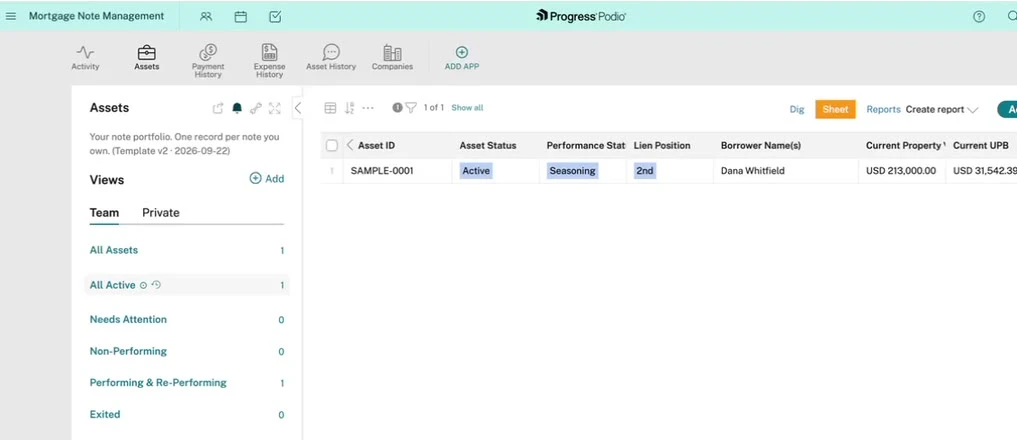
This is SAMPLE-0001, the practice note that comes with every install. Here’s the same loan in each app.
- Assets
Your portfolio, one row per note
Every note you own gets one record: status, lien position, borrower, property value and balance. Saved views like Non-Performing and Performing & Re-Performing sort the book for you.
- Payment History
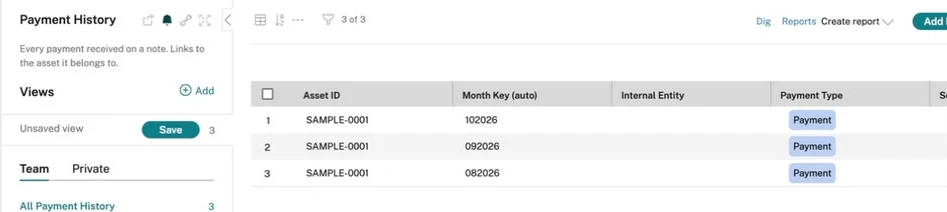
Every payment, on the note it belongs to
Log a payment and it sits on that note, month by month.
Paid Podio planThe note’s last-payment and next-due dates update themselves.
- Expense History
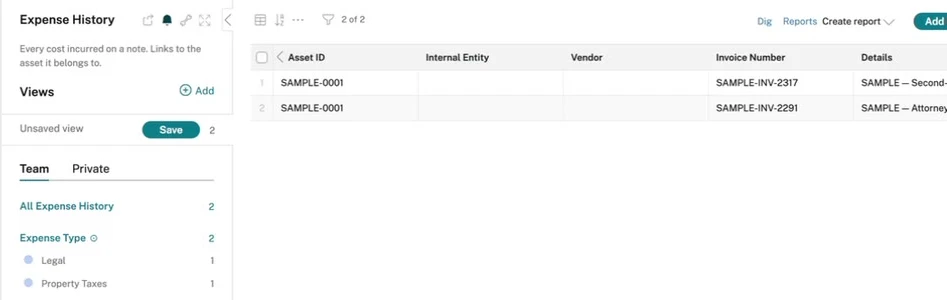
Every cost, filed against its note
Legal bills, property taxes, servicing: each expense is linked to its note, so what a loan has cost you lives on its own record.
Paid Podio planExpenses from the same month link to that month’s payment.
- Asset History
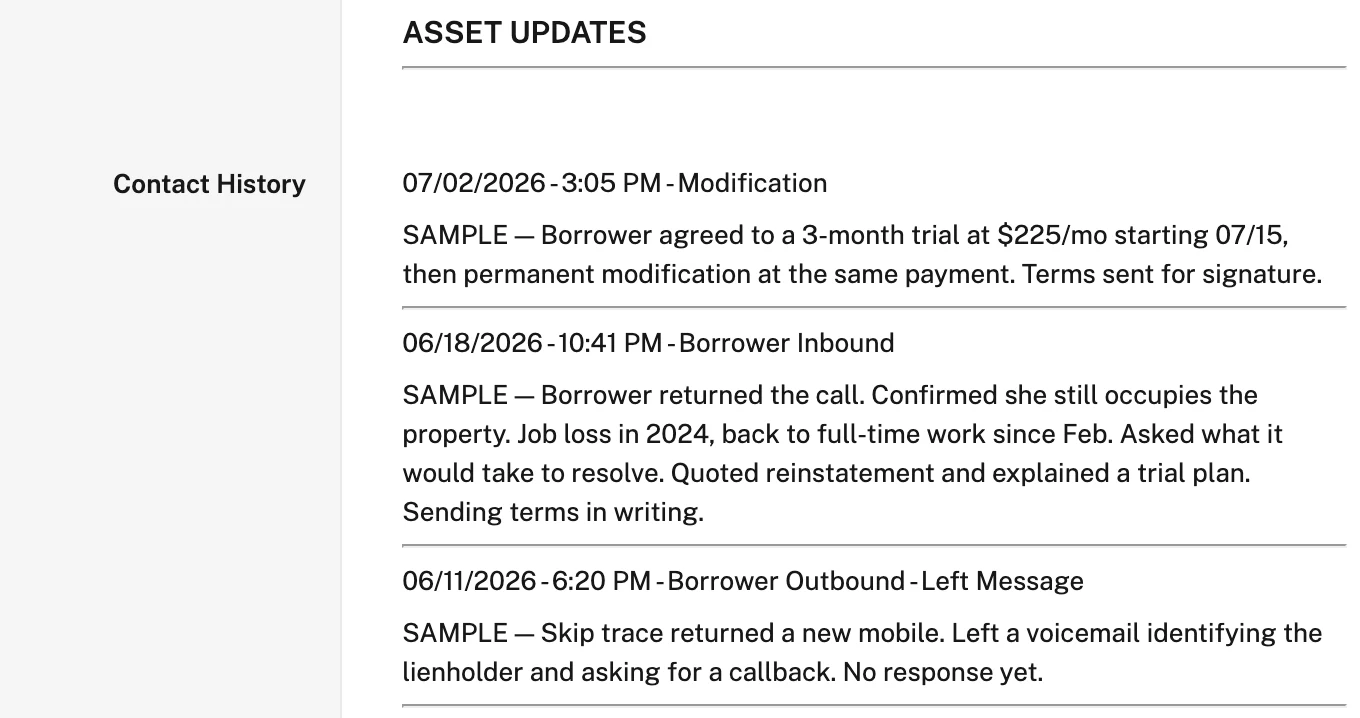
A dated log of every touch
Every borrower call, letter and notice, logged on the note with its date, type and notes.
Paid Podio planLog a contact and it’s filed as a timestamped entry. A note that goes 30, 60 or 90 days without a touch flags itself and shows up in Needs Attention.
Plus Companies: the servicers, attorneys and vendors you work with, linked to your notes.
Start free. Add the automations when you’re ready.
- All five linked apps: Assets, Payment History, Expense History, Asset History and Companies
- Saved views that sort your book: All Active, Non-Performing, Performing & Re-Performing, Exited
- A sample note to learn on
- Everything you enter, in your own account
- Log a borrower contact and it’s filed as a timestamped entry, with the touch and contact dates stamped on the note
- Log a payment and the last-payment and next-due dates update
- A note that goes 30, 60 or 90 days without a touch flags itself and shows up in Needs Attention
- Expenses link to the payment from the same month
You set them up yourself. Members download the automation files from this page and import them with Podio Workflow Automation; step-by-step instructions come with the files.
Yours to keep
It’s installed in your own Podio account, not ours. Your records stay with you, even if you don’t renew.
What’s next
Automated loan modifications, payoffs and lien releases. They’re being built now and are not in the System yet.
The FIXnotes System comes with Mastermind.
Along with the deal flow, market intel, library and community it sits under.
See how Mastermind works →Questions
Who owns the System and my data?
You do. We install it in your own Podio account, and it stays there, with everything you’ve entered, even if you don’t renew.
Do I need to pay for Podio?
Not to start. You can start on Podio’s free plan at no extra cost. Only the automations need a paid Podio plan.
How does the install work?
Members create a free Podio account, invite us as an admin of their workspace and press one button on this page. We install the System from that seat and email you when it’s in.
How do the automations get set up?
On a paid Podio plan, members download the automation files from this page and import them with Podio Workflow Automation. Step-by-step instructions come with the files.
Does it do loan modifications, payoffs or lien releases?
You can record them on a note today, like any other event. Automated loan modifications, payoffs and lien releases are in development; they are not in the System yet.
Which membership includes it?
Mastermind. The FIXnotes System sits under all four pillars of the membership: Deal Flow, Market Intel, the Library and the Community.